Skip to content
Patent Pending Technology

Find the incidents in your own messages.
Today, in your browser.

Drop in an export from your co-parenting app, your texts or your email. The analysis runs while you watch, finds the moments that escalated, and writes up what happened. Nothing to install and no card to start.

No card, no account Nothing to install
iMessage
Android SMS
WhatsApp
Messenger
Gmail
Outlook
OurFamilyWizard
AppClose
coParenter
TalkingParents
Reads exports from all ten, on your own computer.
Evidence ready. Sent to your attorney. Twelve minutes.

Free tier

Where it runs
  • WebChrome or Safari, on a computer or a phone. Nothing to install, no card.
  • Mac and WindowsThe desktop app, 350 messages in one Matter.
What you get
  • One full Message Review of a real export a day, in the browser.
  • Import from OurFamilyWizard, TalkingParents, iMessage, SMS, email and more.

Every plan is the same four steps: import, analyze, share, export to evidence. What changes is how far through them you get. Month to month, cancel any time. What you import stays on your computer after any paid month ends, and Free keeps one Matter open.

Built for the parent who lives it. Ready for the attorney who presents it.

One tool. Two experiences. Same source of truth from first message to final exhibit.

For parents
Start here

You shouldn't need a filing system to stay a good parent.

CustodyComms keeps your communications organized on your computer. If you ever need to hand something to an attorney, the work is already done.

Free forever
350 msgs
Local-first
your machine
No new app
for your ex
  • Free to start. Month to month when you want more.
  • Nothing leaves your machine unless you choose.
  • Imports messages you already have, so your ex never has to install anything.

For attorneys
Partner program

Your clients arrive with their evidence already in order.

A hash-verified export and a clean timeline mean you skip the triage and go straight to strategy.

Output
FRE 902(14)-structured
Verification
Per-file SHA-256
Chain of custody
Captured on import
Referrals
Revshare available

Every message source your family uses. Connected in minutes.

Texts, emails and co-parenting apps, all in one place
iMessage logo
iMessage
Gmail logo
Gmail
WhatsApp logo
WhatsApp
Outlook logo
Outlook
Android logo
Android
OurFamilyWizard logo
OurFamilyWizard
AppClose logo
AppClose
coParenter logo
coParenter
TalkingParents logo
TalkingParents
Messenger logo
Messenger
iMazing logo
iMazing

All product names, logos, and brands are property of their respective owners. Use of them does not imply affiliation or endorsement.

Date formats auto-detected per file. How it works

Patent-pending intelligence. Found on your computer, written up by Cloud AI.

A deterministic Incident Finder clusters the moments that matter, on your computer, and nothing leaves it. Cloud AI then writes the neutral summary of each incident you choose to send. Those messages go as written.

Act 1 · The Incident Finder

Find the moments that matter. Deterministic. On-device.

Patent-pending content-aware clustering. Eighteen content-aware categories, four of them Gottman’s Four Horsemen, surface the moments a family law attorney needs to see. Same messages in, same incidents out, every time. For attorney review. The same Incident Finder runs in Message Review and in the desktop app; the Message Checker uses its categories plus an AI second opinion.

U.S. provisional 63/961,374 · 18 categories · Gottman and Stark among them
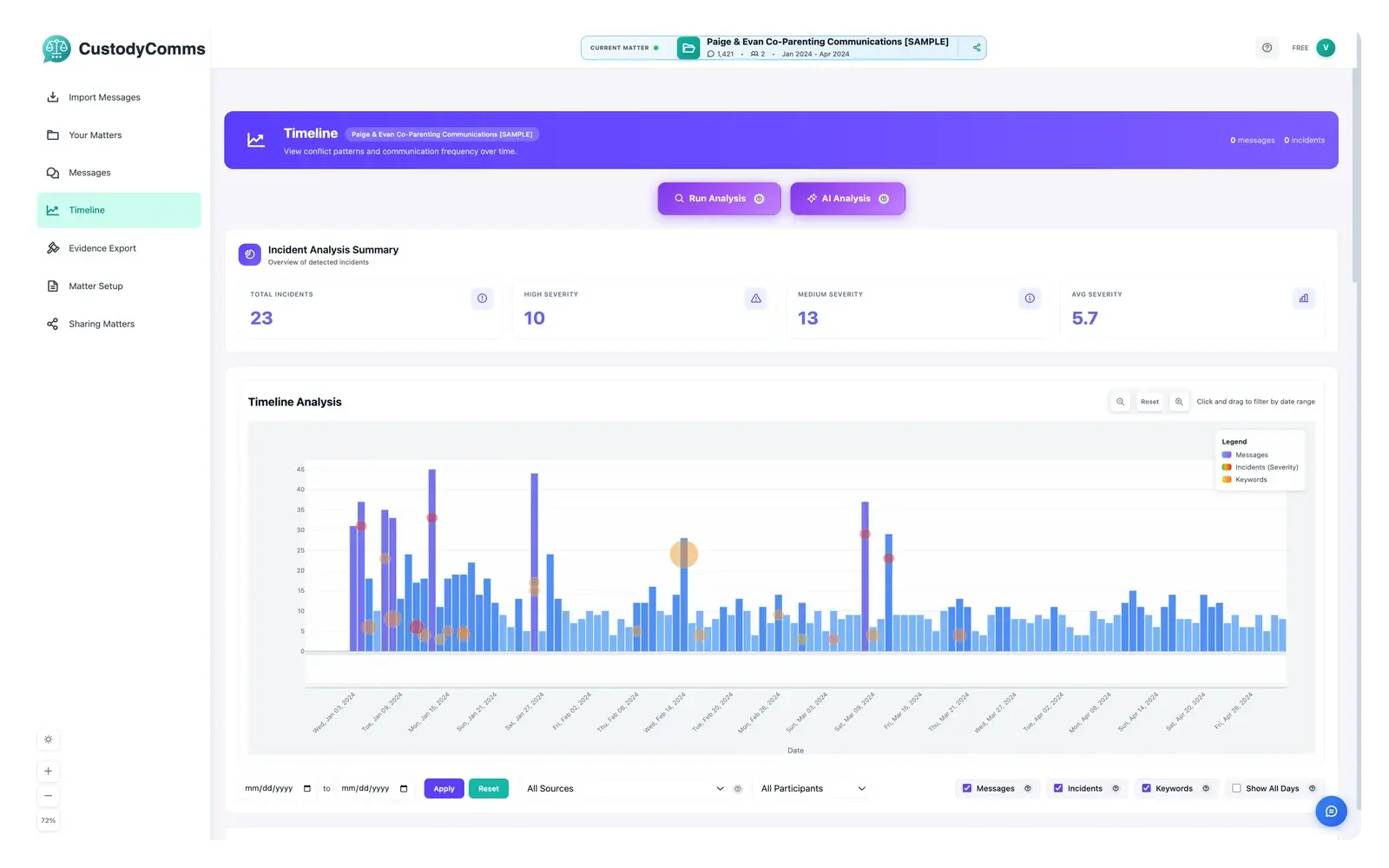
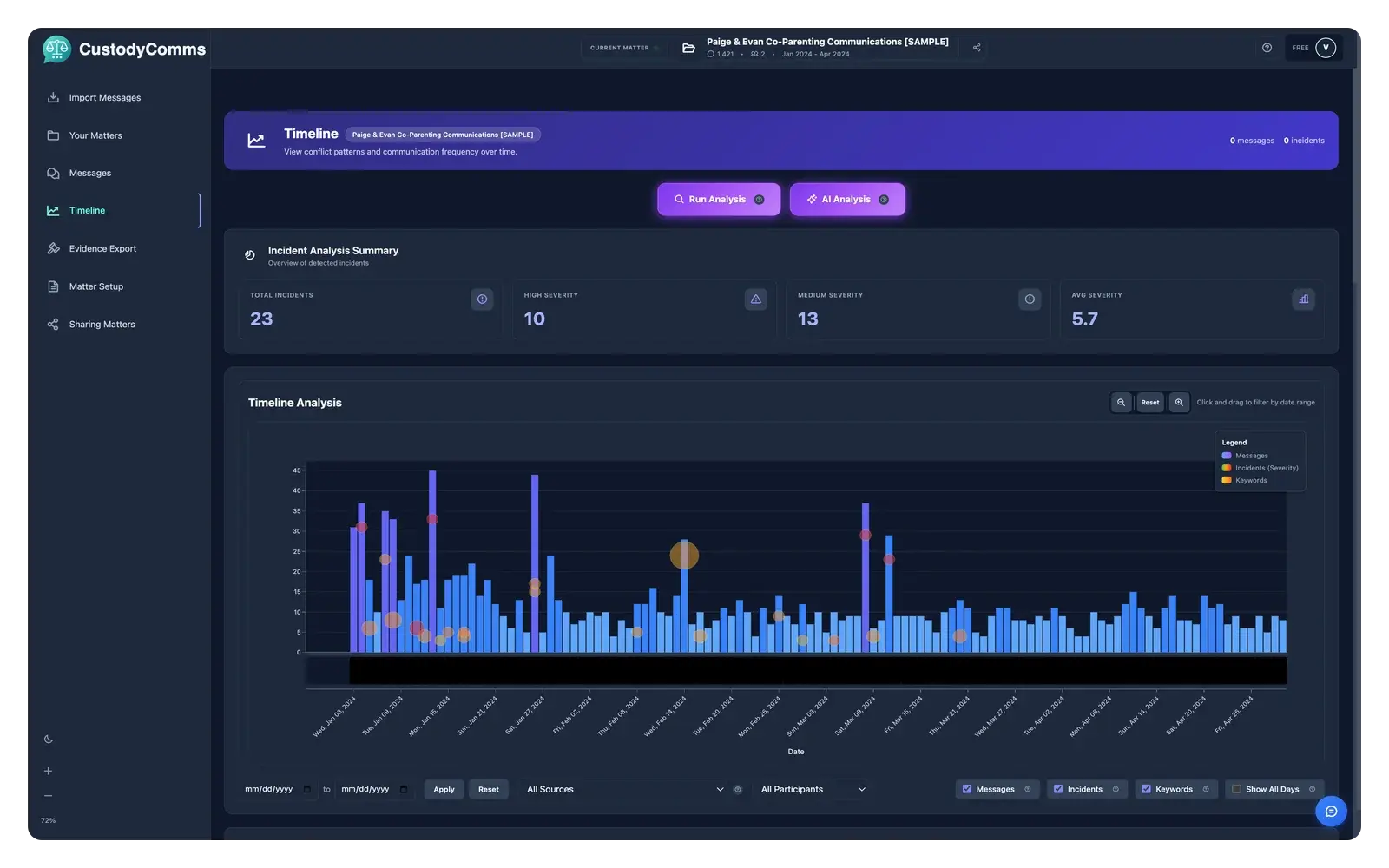
CustodyComms timeline view — illustrativeCustodyComms timeline view — illustrative
Timeline analysis · illustrative
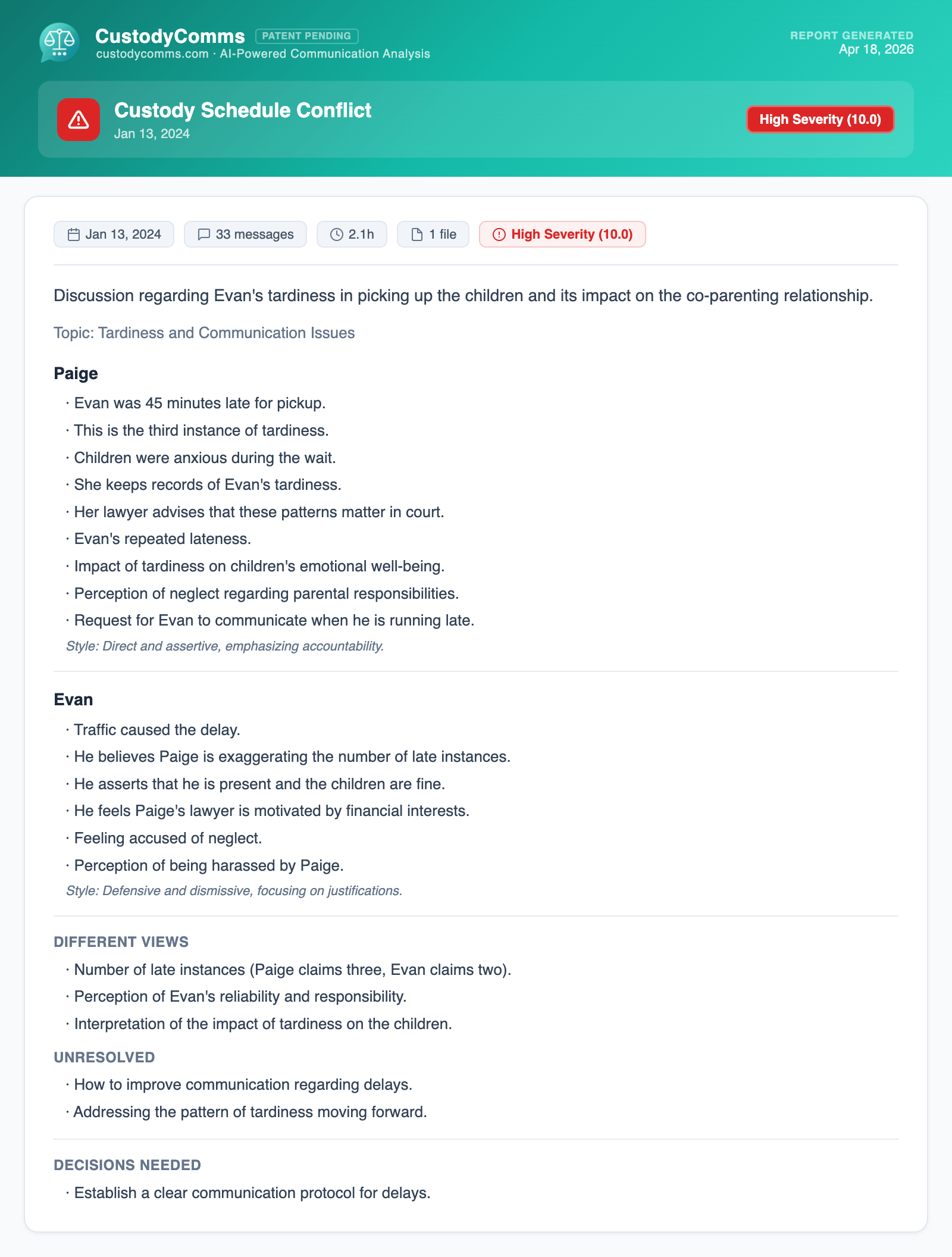
Sample incident report generated by CustodyComms — demo case, illustrative names and contentSample incident report generated by CustodyComms — demo case, illustrative names and content
Sample report · demo case
Names and content illustrative
Act 2 · AI Analysis

Then the AI writes it up so you don’t have to relive it.

The Incident Finder is the local analysis: it runs on your computer and nothing leaves it. The writeups come from Cloud AI, on the incidents you choose. Only the specific incident you send leaves your computer; OpenAI’s API does not train on it. Every writeup is editable. You stay the author.

Free tier 5 / month · no monthly limit on Evidence Edition · daily limit applies
In your browserFree, no account

Message Review, on your own messages.

Drop an export, or paste messages from anywhere. We find the moments that escalated, score them, and write up what happened, in about a minute.

Start a Message ReviewDeleted within 24 hours unless you send it to your phone. Never used to train models.

Accepts PDF · .txt · .mbox · .eml · .json · .html · .csv · .xml · .xlsx · .zip · .pst

Reads exports from

  • TalkingParents
  • OurFamilyWizard
  • AppClose
  • coParenter
  • WhatsApp
  • iMessage & SMS
  • Android SMS backup
  • Facebook / Instagram
  • Email (mbox)
  • iMazing (.csv)

See everything it reads

Product names and logos are trademarks of their respective owners. CustodyComms is not affiliated with or endorsed by them.

On your phone
iOS companion · on the App Store

Your case, on your iPhone. Read it on the way to court.

Build the case on Mac or Windows. Send an encrypted invite to yourself or your attorney. Open CustodyComms on iPhone to browse messages, incidents, and evidence PDFs. Behind a passcode, stored only on the device.

  • Encrypted case sharing

    Desktop wraps the case for each recipient (AES-256-GCM + X25519). A deep-link invite unlocks it on their phone. Nobody else.

  • A passcode, on-device only

    Every case opens behind a passcode, with Face ID if you turn it on. Decrypted contents live in local storage. Never re-uploaded.

  • Authenticator-app 2FA · firm-enforceable

    TOTP on login across desktop and iOS, with single-use backup codes. Firm admins can require MFA for every seat on their domain.

  • Works offline in the courthouse

    Once a case is downloaded, the messages, incidents, and PDFs are there without signal. Shared cases stay viewable for seven days offline.

Read-only viewer. Imports, analysis, and exports live on the desktop. Open a case on iPhone to read it, not build it.

Larger view: CustodyComms iOS — messages view with incident highlights
Larger view: CustodyComms iOS — incident analysis for a co-parenting dispute
Larger view: CustodyComms iOS — activity timeline and keyword usage
Case shared with you
Harlow Custody · encrypted
Passcode
Unlocked · read-only
On your computer

From scattered threads to a package your attorney can use.

Full walkthrough
Three steps · one package
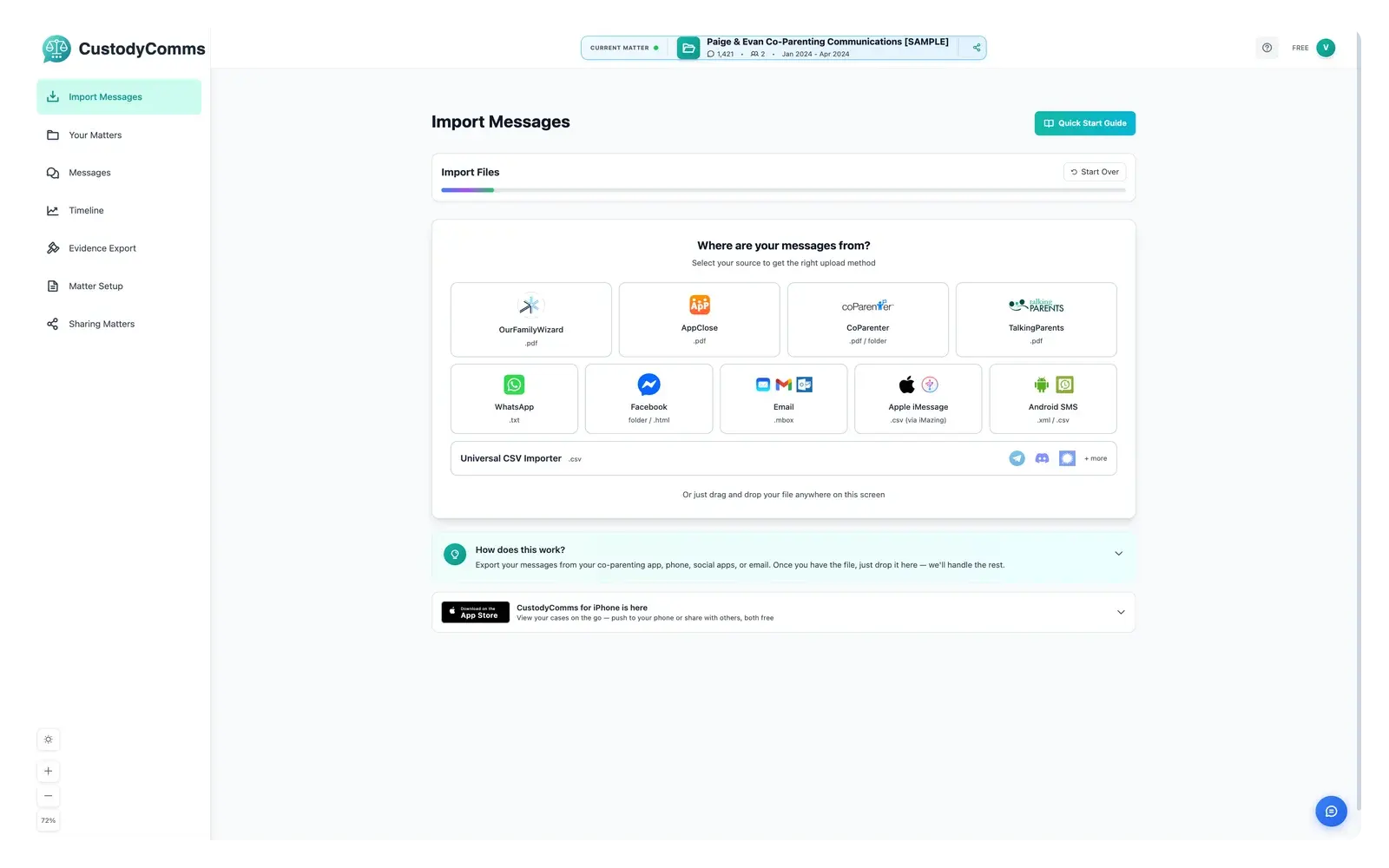
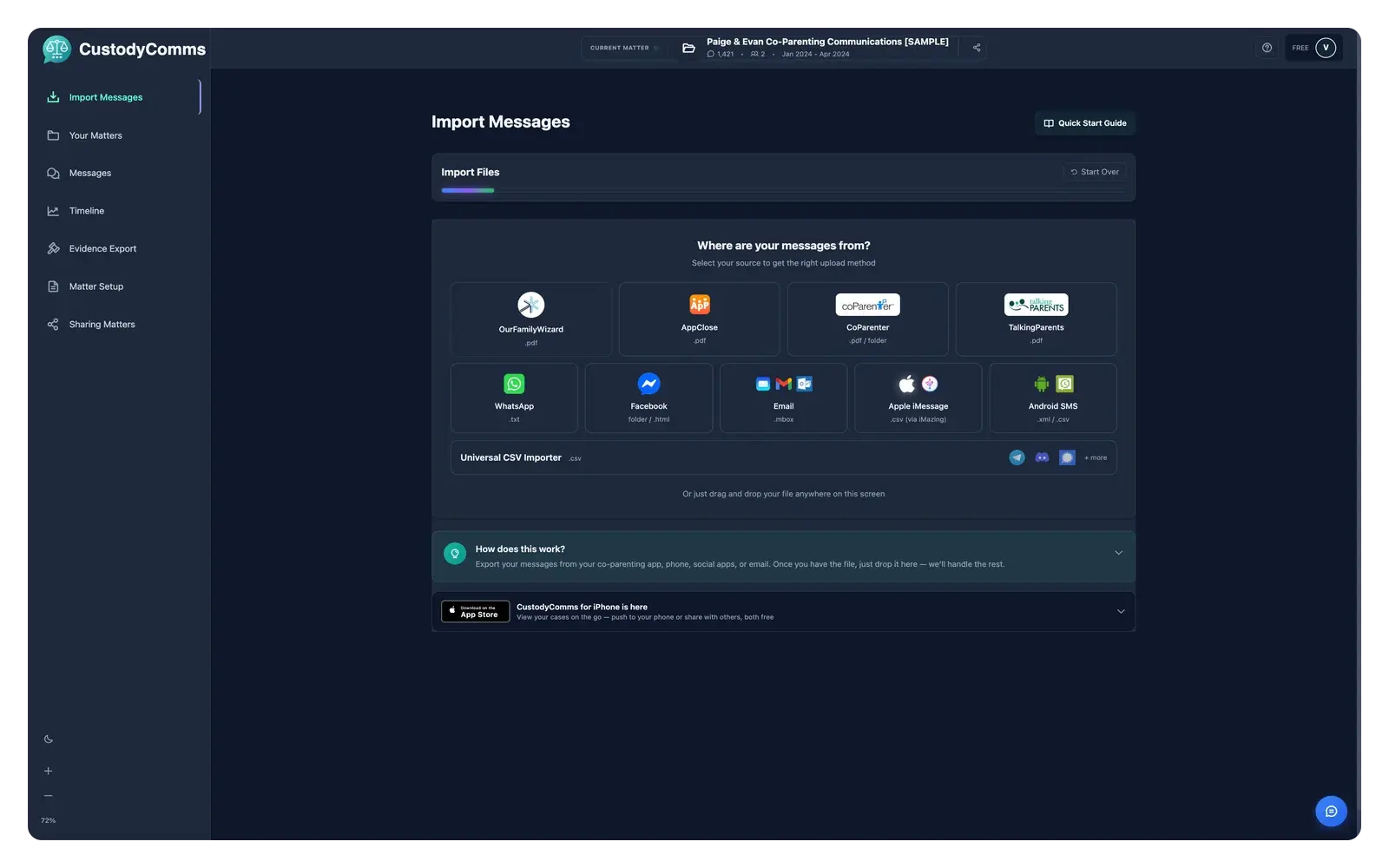
CustodyComms import screen — illustrativeCustodyComms import screen — illustrative
Import, locally.
Connect iMessage, Gmail, WhatsApp, Outlook, OFW, TalkingParents. Whatever you use. Everything normalizes into one timeline, on your machine.
CustodyComms timeline view — illustrativeCustodyComms timeline view — illustrative
See what matters.
Patent-pending pattern detection surfaces the moments that drive custody decisions: coercion, parenting-time friction, schedule disputes.
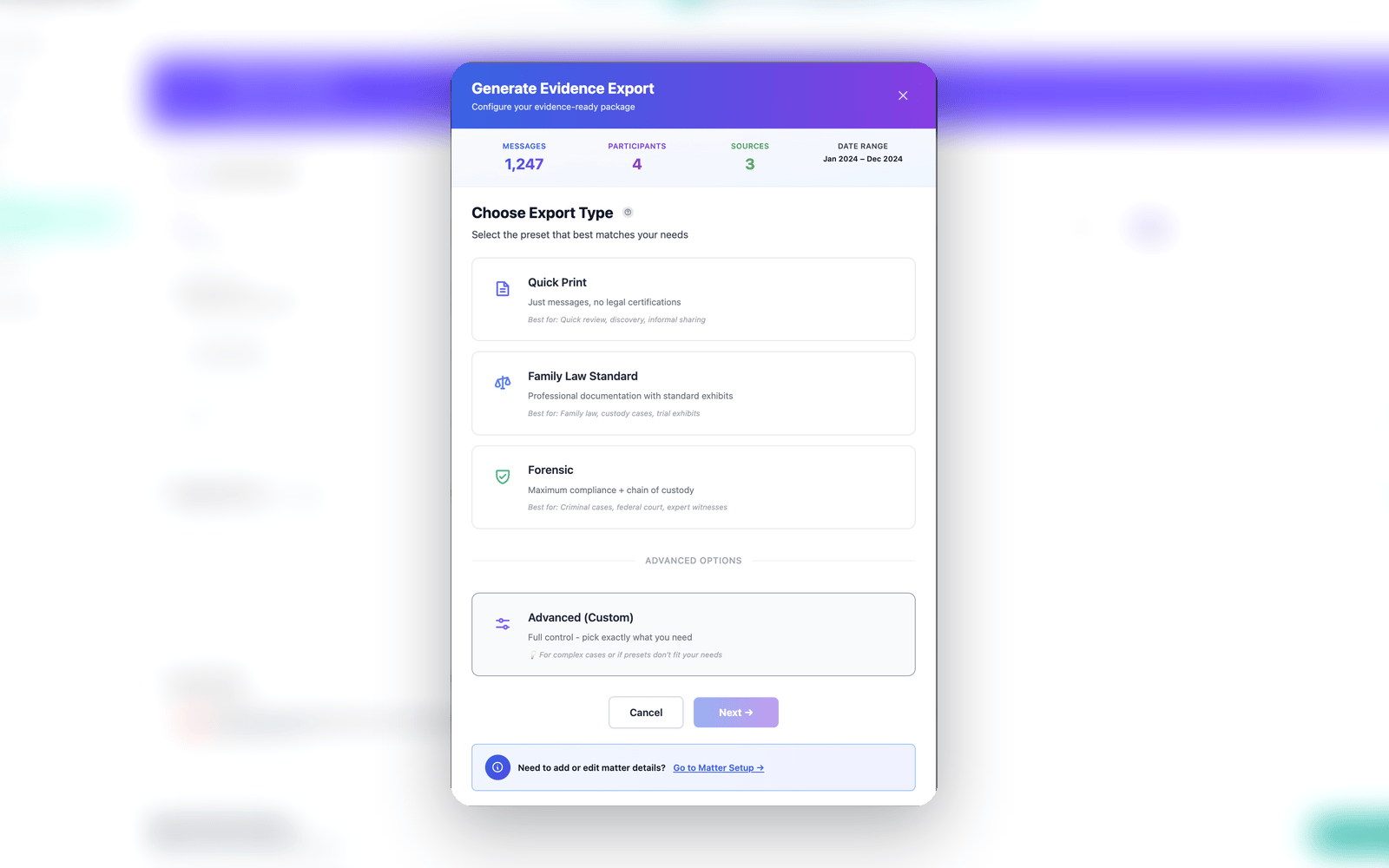
Evidence Export preset picker — Quick Print, Family Law Standard, Forensic — illustrativeEvidence Export preset picker — Quick Print, Family Law Standard, Forensic — illustrative
A self-proving package.
Bates-numbered PDF, CSV, and a manifest.json with per-row SHA-256. Open it anywhere. The hashes still verify.

Mac and Windows. The export is built on your own computer.

What we hand your attorney.

One PDF. Bubble-rendered messages. Email blocks with the headers preserved. Every attachment imaged page-by-page. A SHA-256 manifest of every source file. An FRE 902(14) certification template waiting for a qualified signer. Not retrofitted after the fact: the provenance a court expects to see. Optional Bates numbering and chain-of-custody log when the preset calls for it.

We don't claim admissibility. Only a court decides that. We do ship the artifacts a court expects when it reviews digital evidence.

A folder of screenshots is easy to question. Anyone can crop, edit, or fake them. CustodyComms stamps each message the moment it's imported and tracks every change, so your attorney can show the record is intact and unaltered since import.

BubblesEmailPage
integrity · ledger
Verified · 2026-05-10 14:02 UTC
4 of 4 sources hash-matched · 0 byte drift
SHA-256 manifesttruncated · full hash in export
messages_2024-10.csv3f9c7a1d…
messages_2024-11.csv8b2d4e06…
attachments.indexc51a9f82…
authentication.pdf7e14d3a5…
export · c083c8f5
128.4 MB hashed · 4 files

Auditable edit log

Annotations, redactions, and tags are recorded with who / when. Opposing counsel can examine the log without touching the underlying data.

Start free. Upgrade when you need the export.

No credit card. No subscription trap. The free tier is enough to see how it works with your own messages.

Free
$0

See CustodyComms with your own messages.

  • Message Review in your browser: top 3 incidents, one full review a day
  • Import from OurFamilyWizard, TalkingParents, iMessage, SMS, email and more
  • In the desktop app: one Matter, 350 messages in it, 5 detailed AI analyses a month
  • Watermarked exports, in the browser and in the desktop app
Evidence Edition Lite
$29/month

In your browser, for the months before the record is due.

  • Upload an export in your browser: every incident written up, 500 Message Reviews a month
  • Every message inside an incident readable
  • Send the report to your phone
  • Share it with your attorney
  • Download the chronology as a clean PDF and take it to your attorney
  • The desktop evidence export stays watermarked
Evidence Edition
$149/month

For the month you're building the record.

  • Desktop app: unlimited Matters & messages
  • AI incident analysis
  • The evidence export from the desktop app: FRE 902(14)-structured
  • Per-file SHA-256 manifest
  • Priority support

Month to month, cancel anytime, one person per plan.

Screenshots aren't evidence. They're receipts for anxiety. A structured record is evidence. Every parent deserves one.
— Tom Malick · Founder, CustodyComms

Organize on your terms.
Hand it over on theirs.

Start free. Upgrade when you need an export. By default, your data stays on your machine.

CustodyComms · Family-Law Evidence Software for Texts & Emails